
Checkins:
Get Feedback From Your Team 💫
aaask your team a question on a regular schedule.
Questions like “What did you work on today?” help you stay on top of your teams work.

How checkins work
Create a question & set your schedule
- “What have you worked on today?”
- “What signed off this week?”
- “What’s your focus this week?”
- “Who are your prospects this week?”
- “What did you ship this week?”
- “What are your plans for this weekend?”
When your team responds, all feedback is displayed in a clear, chronological timeline. Team members can react and reply to each other, transforming simple updates into dynamic, collaborative conversations.



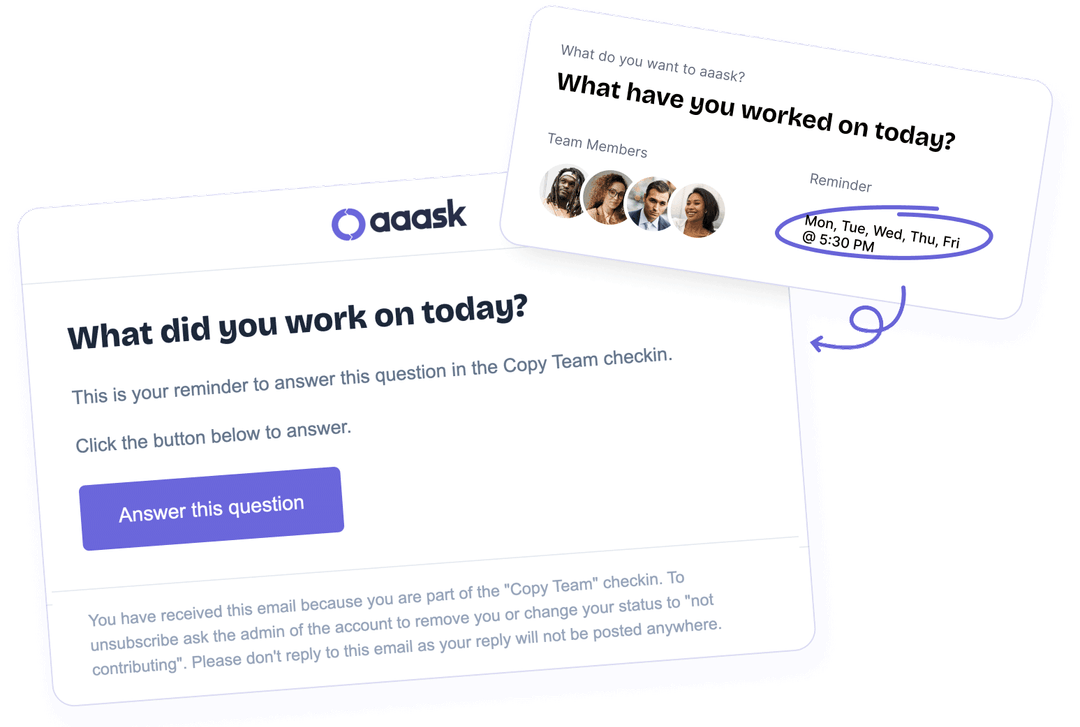

Reminders so people don’t forget
Reminder emails and/or mobile push notifications are sent to everyone you’ve invited to each check-in, based on the schedule you set, whether it’s daily (on specific days), weekly, or monthly.
These reminders prompt your team to respond, ensuring no one forgets to provide their feedback. Say goodbye to the hassle of chasing people for updates, aaask has it covered! 🙌
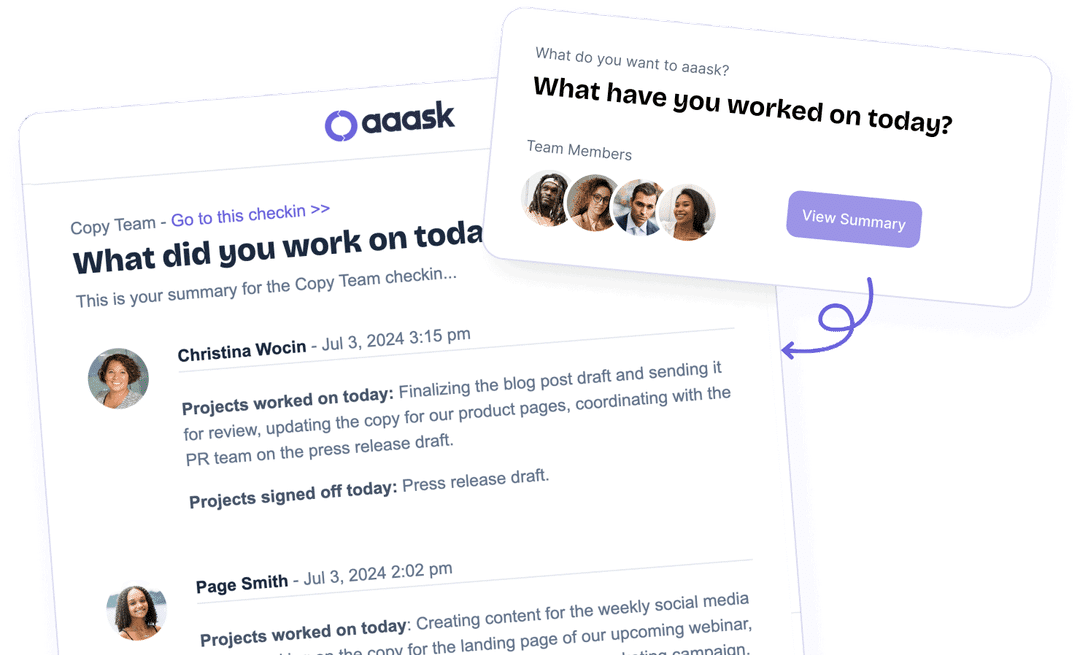
Summaries so you have all feedback in one place
This makes it effortless to review all responses in one place.
From the summary, you can easily click into any feedback to react, reply, and engage with your team’s input.

React, reply & collaborate
Emoji reactions provide a quick and expressive way to share how you feel, while threaded replies allow for deeper conversations around specific topics.
Pricing
Monthly
Invite your whole team &
get unlimited checkins
 Unlimited checkins Unlimited pulses Unlimited posts Unlimited reminders Unlimited summaries
Yearly
Invite your whole team &
get unlimited checkins
Unlimited checkins Unlimited pulses Unlimited posts Unlimited reminders Unlimited summariesFrequently asked questions
If you have a question we haven’t included then please get in touch.
FAQ
What is a checkin?
A checkin is an individual question you want to ask a group of people.
Each checkin includes:
– A question you want to ask
– A defined list of people who are part of the checkin
– A reminder schedule to remind people to complete their answer
– A summary schedule to send you a summary of people’s answers
Each checkin is a self contained area for a type of feedback.
We suggest creating a checkin for each type of feedback you want to get from each group of people.
Checkins can be serious and work related when you want to get work related feedback. Or, they can be fun and personal if you want to spark some team communication within a checkin.
Examples of checkins you could create are:
– What have you worked on today?
– What are your sales figures?
– What are your numbers for last month?
– What is your workload this week?
– How did today’s event go?
– What did you learn today?
– What projects did you complete today?
– What did you deploy this week?
– What do you plan to accomplish today?
– What are your plans for the weekend?
– What are you prioritizing today?
– What are your goals for today?
– and anything else you want to aaask!
How many checkins can I create?
What is a reminder?
This makes sure that people are prompted to answer the question on a schedule and time that makes most sense.
The email simply contains the question and a button so people can click to go directly to the checkin to answer the question.
What is a summary?
This is a really nice way to receive all answers that have been posted so you can quickly review. Then, if you want to reply or react to an answer you can click it to be taken directly to the checkin.
In each checkin settings page you can set the schedule and time for the summary to be sent out.
Can I select which people receive reminders and summaries?
This can be a different list for reminders and summaries. So you could have the same or different people receiving alerts and summaries. The power is in your hands!